Set up or add money to my GoDaddy Cash account
If you have a paid product or service, you can set up a GoDaddy Cash account to pay for GoDaddy products.
Krav:
- To start a new GoDaddy Cash account, we require a minimum deposit of USD$100. After your first transfer, the minimum deposit is USD$5.
- Du skal angive dit kundenummer i feltet Ref: KUNDENUMMER . Hvis dit kundenummer ikke er inkluderet, bliver kreditten til din konto forsinket på ubestemt tid.
- For API -forhandlere er dette kundenummer det overordnede kontonummer, der vises i dit forhandlerkontrolcenter.
- To set up or add funds to a GoDaddy Cash account, you can either:
- Add funds with an online payment to your GoDaddy Cash account.
- Initiate a wire transfer from your bank to GoDaddy. Here's the information you need for the wire transfer:
Modtagers banknavn : JPMorganChase Bank
Bankadresse: 270 Park Avenue, New York, NY 10017
Kontonavn : GoDaddy.com, LLC
Kontonummer : 580706823
Ledningsnummer : 021000021
ACH -routingnummer : 124001545
Swift -kode : CHASUS33
Ref: KUNDENUMMER
- After we receive the funds from your bank, the new GoDaddy Cash account appears in your Payment Methods page. If you added funds, the current balance is updated.
Required: If your current balance is more than USD$2000, you must verify your personal or business identity before you can spend the funds. Continue with the next step.
- In your Payment Methods page, select GoDaddy Cash.
- Vælg Bekræft nu . Vi beder dig om at give oplysninger til validering af din personlige eller forretningsidentitet. Bemærk: Vores partner Persona udfører verifikationen for overholdelse af føderale regler. Du kan læse mere i Hvad er Persona?
How do I check my GoDaddy Cash balance?
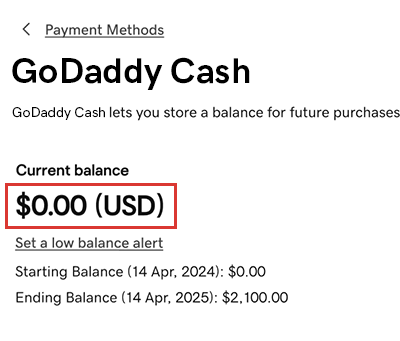
In your Payment Methods page, select GoDaddy Cash. The current balance is shown (in USD) on the GoDaddy Cash card.
Flere oplysninger
- Add another payment method to your account, like a credit card or bank account.
- Return funds from and close my GoDaddy Cash account